
Download LayerSlider 8.3.0 + Templates – WordPress Slider Plugin
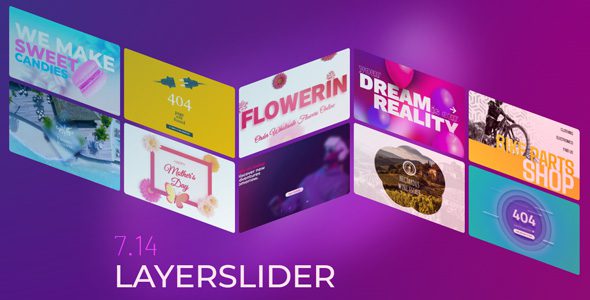



LayerSlider 8.3.0 is a visual web content editor, graphic design software, and digital visual effects application combined into one powerful WordPress slider plugin. It provides a complete solution for creating advanced sliders, animated content, and interactive web experiences to enhance your website.
With LayerSlider WordPress Plugin, you can create sliders, slideshows, hero scenes, image galleries, carousels, popups, and animated page sections using a modern visual editing interface without requiring coding experience.
LayerSlider Plugin WordPress Features
- Cutting Edge Technologies
Super smooth transitions with 3D hardware accelerated graphics. Built on and extensible with standardized web technologies. - Many Project Types
LayerSlider offers an all-in-one multi-purpose solution for sliders, slideshows, hero scenes, image galleries, carousels, popups, animated page blocks, and more. - 210+ Templates
A growing selection of 120+ slider and 90+ popup templates are available. They cover most use cases and project types and can be adjusted to your needs. - 8 Layout Modes
Includes fixed size, responsive, full-width, full-size, hero scene, fit to parent, os-native fullscreen mode, and popup layouts. - 9 Layer Types
Supports Image, Text, Video/Audio, Button, Shape, Icon, Object/SVG, HTML, and Dynamic Layer types. - Slider Behaviors
Sticky or Scroll Scene allows you to pin or play slider animations while scrolling through the page. - 19 Built-In Skins
Choose from different skin styles and color schemes that match your content. - Skin Customization
Change controls and other interface elements through customization options. - 200+ Slide Transitions
A wide selection of pre-made slide transitions with 2D and 3D special effects. - Visual Transition Builder
A drag & drop visual editor lets you create slide transitions based on your own vision. - Post Sliders
Create dynamic sliders from WordPress posts and pages that automatically update when new content is added. - Mixed Content Sliders
Combine static and dynamic sources together for flexible slider projects. - Special Effects
The Origami special effect adds advanced visual effects to your content. - Icons & SVG
Includes 16,000+ built-in icons with different styles and supports adding custom icons using SVG or icon fonts. - Google Fonts
Choose from hundreds of unique fonts and customize your website appearance with advanced typography options. - Static Layers
Keep layers in the scene across multiple slides and reuse them when creating continuous content. - Scheduling
Set dates and times for projects or individual slides to automatically display or hide on front-end pages. - Linking
Link entire project surfaces or individual layers. - Shape Builder
Add simple and complex shapes such as polygons, blobs, and waves to projects. - Custom Attributes
Apply any HTML attribute to layers and use data- attributes for compatibility or customization purposes, such as with Lightbox plugins. - Modern Editing Experience
The editor works like a native professional desktop application with modern features for content creation. - Drag & Drop
Move, resize, and manage elements easily in the WYSIWYG editor without coding or prior experience. - Smart Help
Each option includes a help menu that explains and visually demonstrates settings without leaving the editor. - Search & Actions
Navigate the interface or perform common actions using a powerful search panel. - Guided Tours
A guided product tour helps introduce the editor and explain key interface features when first opened. - Interface Customization
Editor panels can be closed, resized, or moved according to your preferences and screen space. - Undo-Redo
Easily undo changes using available keyboard shortcuts. - Revisions
Serves as a backup solution where you can visually compare different versions. - Live Preview
Continuous playback mode lets you preview layer animations while editing and view instant replays of adjustments. - Timeline
A scrubbable timeline with color-coded markers makes it easier to find and edit animation key points. - Group Selection
Move or resize multiple layers at once using your mouse cursor. - Multiple Selection Mode
Edit layer settings such as transitions and styles using bulk selection mode. - Smart Operations
Perform automatic calculations and bulk edit layers using math formulas. - Context Menu
Right-click elements to access a context menu for everyday tasks. - Keyboard Shortcuts
A comprehensive set of keyboard shortcuts helps improve productivity and workflow. - Rules & Guides
Use rules and guides to align layers and maintain spacing between elements. - Alignment & Snapping
Align layers to screen areas or relative positions with layer snapping. - Image Editor
Includes a Photoshop-like image editor for cropping, resizing, color management, applying effects, and adding filters. - Copy & Paste
Copy and paste layers even between different sliders. - Drop to Upload
Upload images and assets quickly by dropping them directly into the editing area. - Importing
Import slides and layers from projects without leaving the editor. - Layers List
Browse and control layers easily from the layers panel with helpful previews of project items. - Distraction-Free Editing
Fullscreen mode allows you to focus on creating content.
Download LayerSlider WordPress Plugin
Note: If you are having trouble with LayerSlider – WordPress Slider Plugin Free Download Latest Version, try disabling AD AdBlock for the site or use another web browser. If disabling the AD blocker or changing the web browser does not help, please contact us.
