
Magnific Image Downloader
Download high-quality, watermark-free preview images from Magnific — the AI creative platform formerly known as Freepik — with our free tool by ThemesPanda. Fast, simple, and reliable.
Need Help or Want to Support Us?
If the downloader is not working, please reach out to us for assistance. Email us at [email protected], and we'll get back to you promptly to resolve any issues.
Love our tools? Support our work and join our community of creators by contributing to our "Buy Me a Coffee" campaign. Your support helps us keep delivering free resources!
Buy Me a CoffeeHow to Download Magnific Images?

Enter the Magnific Image URL
Copy and paste the URL of the Magnific image you want to download into the input field.

Click on the "Fetch" Button
Press the fetch button to retrieve the high-quality, watermark-free image from Magnific.

Download the Image
Once fetched, download the high-quality image directly to your device with no watermarks.
Related Stock Image Downloader Tools

Magnific Image Downloader – No Watermark
Download high-quality images from Magnific (formerly Freepik) without watermarks, free and instant. Paste the URL, fetch, and save, no signup required.

Wire Image Downloader – No Watermark
Download high-quality, watermark-free images from WireImage for free. Paste the image URL, click fetch, and save the HD image instantly, no signup required.
Foap Image Downloader – No Watermark
Download high-quality Foap images without watermarks, free and instantly. Paste the URL, fetch, and save, no signup required.

Storyblocks Image Downloader – No Watermark
Download high-quality Storyblocks images without watermarks, free and instantly. Paste the URL, fetch, and save, no signup required.

EyeEm Image Downloader – No Watermark
EyeEm has shut down. Learn what happened, try downloading old EyeEm image links, and find your content on Magnific instead.

Freepik Image Downloader – No Watermark
Download high-quality Freepik images, vectors, and PSDs without watermarks, free and instantly. Paste the URL, fetch, and save - no signup required.

Alamy Image Downloader – No Watermark
Download high-quality Alamy images without watermarks, free and instantly. Paste the URL, fetch, and save - no signup required.

iStock Image Downloader – No Watermark
Download high-quality iStock images without watermarks, free and instantly. Paste the URL, fetch, and save - no signup required.

Getty Images Downloader – No Watermark
Download high-quality Getty Images without watermarks, free and instantly. Paste the URL, fetch, and save - no signup required.

Shutterstock Image Downloader – No Watermark
Download high-quality Shutterstock images without watermarks, free and instantly. Paste the URL, fetch, and save - no signup required.
What Is Magnific?
Magnific is the new name for Freepik, following its April 2026 rebrand that unified the company's stock asset library with its AI creative tools — image generation, AI upscaling, and a growing suite of design tools — under a single platform. If you've used Freepik before, your account, assets, and licenses carry over unchanged; only the name and branding are new.
This tool is built for the simple part of that platform: grabbing a clean, watermark-free preview image from a Magnific URL, without needing an account or subscription.


Fast and Reliable Downloads
Our tool ensures quick and reliable downloads, delivering high-quality Magnific preview images in seconds.
Whether you're downloading a single image or several, the process stays fast and consistent, with no watermarks in the result.
User-Friendly Interface
No technical skills required. Paste the Magnific image URL, click fetch, and download your HD image in moments — the same simple flow whether you're a designer, marketer, or first-time visitor.


Completely Free to Use
Our Magnific Image Downloader is 100% free with no hidden fees or subscriptions — download as many preview images as you need, whenever you need them.
Effortlessly Download Magnific Images with ThemesPanda
↑ Back to the ToolFrequently Asked Questions
What is the Magnific Image Downloader Tool?
The Magnific Image Downloader Tool lets you download high-quality, watermark-free preview images from Magnific by simply entering the image URL.
Is Magnific the same as Freepik?
Yes. Freepik officially rebranded to Magnific in April 2026, unifying its stock library and AI creative tools under one name. Same platform, same assets, same team — just a new name and a wider AI-powered feature set.
How does the tool work?
Paste the Magnific image URL into the input field, click the fetch button, and the tool will retrieve the HD image for you to download.
Is this tool free to use?
Yes, the Magnific Image Downloader by ThemesPanda is completely free with no hidden fees or subscriptions.
Does this work for vectors and PSD files, or only photos?
It works for standard image previews. Vector (.ai/.eps) files and layered PSD source files are packaged differently on the platform and are not covered by this tool — it retrieves the flattened image preview.
Can I download multiple images?
Absolutely! You can use the tool to download as many images as you need without any limitations.
Do I need technical knowledge to use the tool?
No, the tool is user-friendly and requires only the image URL to work. It is designed for users of all skill levels.
Can I use this tool on mobile devices?
Yes, the tool is fully responsive and works seamlessly on smartphones, tablets, and desktops.
Are there any limitations to the tool?
The tool works for most Magnific images, but results may vary if the image URL is invalid, the asset is a premium-only download, or access is restricted.
Latest Insights and Resources

The Ultimate Guide to Building Your WordPress Site from Scratch
Starting a website might seem overwhelming at first, but with WordPress, it’s more accessible than you think. Whether you’re creating […]
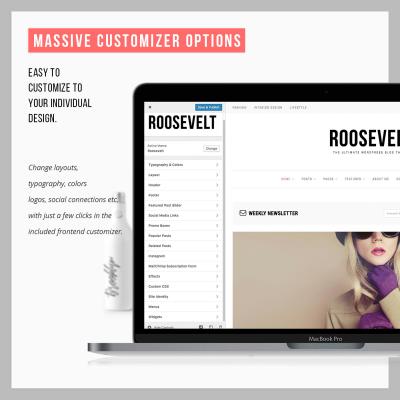
Exploring Behestmtl.wordpress.com: A Look at WordPress & Twitter Integration
Welcome to our deep dive into behestmtl.wordpress.com, a vibrant platform that combines the power of WordPress with seamless Twitter integration. […]
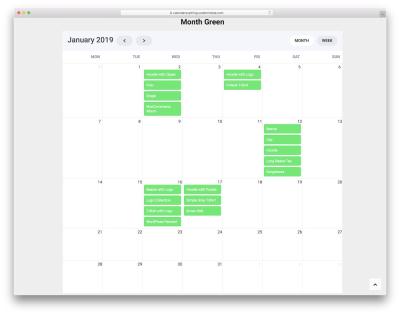
How to Embed a Calendar into WordPress for Better Scheduling
Are you looking to make your website more organized and user-friendly? Embedding a calendar into your WordPress site is a […]